
A home theater system pairs a large display with a surround sound speaker setup, physically separate speakers reproducing distinct channels, not a soundbar faking directionality from one box. That’s the actual definition, and it’s narrower than “a nice TV setup,” which is how most people use the term.
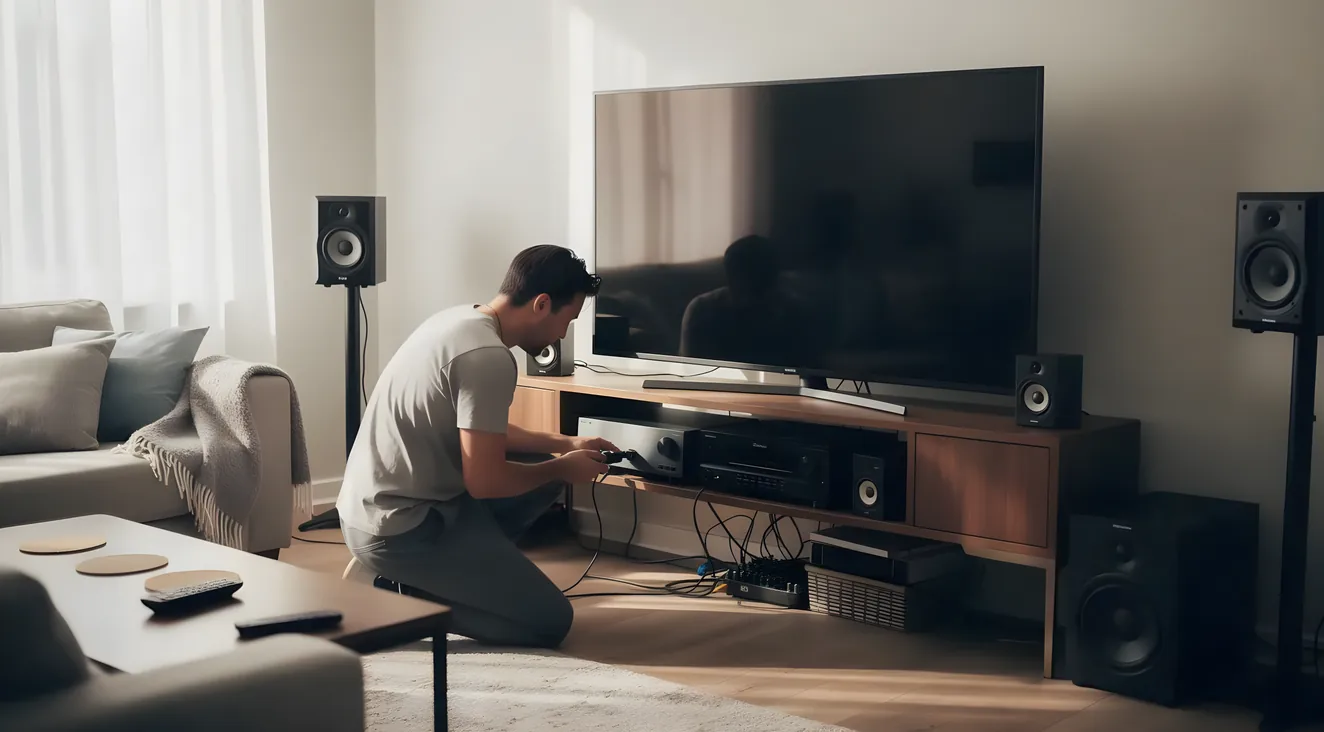
I get asked this a lot, usually by someone who already owns a decent TV and a soundbar and wants to know if they’re missing something. Most people use the phrase loosely, but it’s actually a defined category, not marketing language. The Consumer Technology Association’s own reporting puts it plainly: a home theater system is a 50-inch-plus display or projector paired with a speaker setup capable of rendering surround sound. That’s the bar.
People also mix this up with “surround sound system,” which usually means just the audio half. And there are three genuinely different ways to build one: buy every piece separately, buy a matched bundle, or upgrade with a soundbar. Below, I’ll walk through what makes the definition hold, how those three approaches differ, and the six parts every real system needs, then point you toward whichever piece you’re actually trying to figure out.
What Actually Makes Something a “Home Theater System”
That report, “The State of Home Theater”, is CTA’s own attempt to draw the line, and it’s the same 50-inch-plus display plus surround-capable speakers I mentioned above. Owning a big TV isn’t enough on its own; the speaker setup has to clear that bar too.
The real dividing line isn’t how many speakers you own. It’s whether each surround channel comes out of its own physically separate speaker, or whether one enclosure is using digital signal processing to fake directionality. A soundbar can sound genuinely good and still not qualify, because it’s simulating the effect, not reproducing it. A true home theater system sends each channel to its own speaker, positioned around the room, so the sound actually comes from where it’s supposed to.
This isn’t a niche hobby, either. CTA reports that about 22% of U.S. adults say they own a home theater system. That’s a sizable chunk of homeowners who’ve built past the TV-and-soundbar stage into something with discrete speakers and an AV receiver running the show.
Real System or Soundbar? The 60-Second Check
About 22% of U.S. adults say they own a home theater system, per CTA. Here's the one question that decides which side you're on.
Home theater system
Each surround channel plays from its own physically separate speaker, positioned around the room.
Soundbar setup
One enclosure uses digital processing to simulate directionality from a single point.
Component System, Theater-in-a-Box, or Soundbar: The Three Ways People Build One
There isn’t one path into this. Most people land in one of three camps, and it’s worth knowing which one you’re in before you buy anything.
Component, or “separates,” systems are what the rest of this cluster is really teaching you to build. You pick the receiver, the speakers, and the display individually, matching each piece to your room and budget. It’s more work up front and the most flexible option, since every part can be swapped or upgraded later on its own.
Theater-in-a-box (HTIB) systems are a matched receiver-and-speaker bundle sold as one package. Everything’s designed to work together out of the box, which makes setup simpler. The tradeoff is flexibility: you’re locked into whatever speakers came in the box, and upgrading one piece usually means replacing the whole set.
Soundbars are the third leg here, and the one that gets conflated with “home theater system” most. A single enclosure (sometimes paired with a wireless sub) uses DSP to simulate a wider soundstage. It’s a legitimate, often dramatic upgrade over TV speakers. It just doesn’t meet the discrete-speaker bar the CTA definition sets, because the channels aren’t coming from physically separate points in the room.
So which is “better,” a soundbar or a full home theater system? That depends on what you’re solving for. If you want a meaningfully better TV audio experience with minimal installation, a soundbar wins on convenience every time. If you want the actual directional effect, sound moving past you, behind you, overhead, a discrete-speaker system does something a soundbar structurally can’t.
Home Theater System vs. Surround Sound System: Is There a Difference?
In practice, yes, though people use the terms interchangeably enough that it’s worth spelling out. “Surround sound system” usually refers to just the audio side: the speakers and the receiver driving them. “Home theater system” is the whole package, audio plus the display.
You could have a surround sound system without much of a “home theater” feel to it (five speakers and a receiver hooked to a mediocre old TV), and you could have a big, sharp display running through nothing more than its built-in speakers, which wouldn’t qualify as either. The overlap is real, but the home theater system is the bigger category, and the surround sound piece lives inside it.
The Parts List: Six Pieces Every System Needs
This is the part that matters if you’re starting from scratch: the six home theater components you need, at a glance, before going deep on any single piece.
Before You Buy: Check the Spec Sheet Line by Line
A receiver marketed as "HDMI 2.1" can have just one HDMI 2.1-spec input, with every other port still running the older HDMI 2.0 spec. That's not a defect, it's how the listing is worded. Confirm how many full-spec 2.1 ports you're actually getting before you check out, not after it's mounted in your rack.
-
Display. A TV (50 inches or bigger, per the CTA definition) or a projector and screen. The tradeoff between them comes down to ambient light versus image size: a TV handles a bright room better, a projector gets you a bigger picture for less money past a certain screen size. That’s its own decision, worth thinking through rather than guessing. See choosing a home theater projector for how to actually work through it.
-
AV receiver. This is the hub of the whole system. It decodes surround formats, amplifies the signal to every speaker, and switches HDMI between your sources and the display. Here’s the gotcha I learned the annoying way: a lot of receivers marketed as “HDMI 2.1” only have one HDMI 2.1-spec input, with the rest still running the older HDMI 2.0 spec. HDMI Forum’s own 2.1 announcement lays out what the full spec actually requires, 48 Gbps bandwidth and Ultra High Speed cabling, and it’s worth checking the spec sheet line by line before you buy, not after. See choosing a home theater receiver for how to shop without getting burned by that exact gap.
-
Speakers. Physically separate drivers placed around the listening position. This is where the naming convention comes from: 5.1 means five ear-level speakers plus one subwoofer, 7.1 adds two more ear-level speakers. Once you understand that pattern, every spec sheet makes sense. Which specific speakers to buy for a given layout is a bigger decision than it looks. See choosing speakers for a home theater system for that part.
-
Subwoofer. A dedicated low-frequency driver, usually self-powered with its own amplifier, handling the bass a small speaker physically can’t reproduce. Getting the subwoofer itself is only half the job. Placement matters just as much, bass behaves differently depending on where it sits relative to your walls and corners. See where to place a subwoofer for the room-by-room approach.
-
Source devices. Whatever’s feeding the receiver a signal: a streaming box, a Blu-ray player, a game console, a cable box. These connect to the receiver over HDMI, not straight to the display, so the receiver can pull the audio out and process it before passing video through.
-
Wiring. Speaker wire running from the receiver to each speaker, with the correct gauge depending on run length and speaker impedance. Get the gauge wrong on a long run and you’ll lose signal quality without knowing why. HDMI cabling needs to be rated for whatever generation your receiver runs. The real gauge-by-distance numbers are worth getting right rather than guessing. See picking the right speaker wire gauge for the specifics.
One more thing worth a mention, though it’s not one of the six core pieces: acoustic treatment. It’s optional, but real. Acoustic treatment shapes how sound behaves once it’s already in the room, absorbing or diffusing reflections off hard surfaces. That’s different from soundproofing, which stops sound from crossing your walls into the next room entirely. People confuse the two constantly, and buying one when you needed the other is a common, avoidable mistake.
Two Different Problems: Acoustic Treatment vs. Soundproofing
Buying one when you needed the other is a common, avoidable mistake.
Acoustic treatment
Shapes sound already inside the room by absorbing or diffusing reflections off hard surfaces.
Soundproofing
Stops sound from crossing your walls into the next room entirely.
Dolby Atmos and DTS:X, in Plain English
Both are object-based audio formats. Instead of locking a sound to a fixed channel, like “rear left speaker,” the format treats each sound as an object with a position in 3D space and renders it to whichever speakers you actually have. Dolby’s own technology page describes Atmos this way, and it’s the clearest explanation I’ve found for why it sounds different from older surround formats.
Dolby Atmos, from Dolby Laboratories, launched in 2012 and added height, sound coming from overhead, using either in-ceiling speakers or upward-firing modules that bounce sound off the ceiling. DTS:X is the competing format doing essentially the same job through a different technical approach.
You’ll see layouts written as 5.1.2 or 7.1.4. That third number is the height speaker count. Which format to prioritize and how to build a specific layout in your room is a decision for the speaker and receiver posts, not this one.
What It Actually Costs
Here’s the honest answer: it depends entirely on which tier you pick across the six pieces above, and I’m not going to hand you a fake number to make this section feel complete. A soundbar-based alternative, a good TV plus a soundbar and sub, sits at the low end (worth noting again: that’s not technically a home theater system by the CTA definition, just the cheapest way into better sound). A full discrete 5.1, 7.1, or Atmos-enabled system with a dedicated receiver climbs from there, and how far it climbs depends on the receiver, speakers, and display you choose.
I’d rather send you to price out actual gear than invent a range that sounds authoritative and turns out to be wrong. The receiver and speaker posts linked above are where that real pricing research lives.
Common Questions
How much does a home theater system cost?
It scales with the tier of gear you pick for each of the six components, not a fixed number I can quote here. A soundbar-based setup costs far less than a full discrete 5.1 or 7.1 system with a dedicated receiver. Check the receiver and speaker posts linked in this article for actual current pricing.
What is the difference between a home theater system and a surround sound system?
“Surround sound system” typically refers to just the audio half, the speakers and receiver. “Home theater system” is the bigger category: the audio setup plus the display. A surround sound system only counts as a home theater system once it’s paired with a big enough screen: five speakers and a receiver hooked to a mediocre old TV doesn’t clear that bar.
What is needed for a home theater system?
Six pieces: a display (TV or projector), an AV receiver, surround speakers, a subwoofer, source devices like a streaming box or game console, and the wiring connecting all of it. Get those six right and you’ve got a real system, not just a nice TV.
Is a soundbar the same thing as a home theater system?
No. A soundbar simulates surround sound from one enclosure using digital processing, which doesn’t meet the discrete-speaker definition a true home theater system requires. It’s still a legitimate audio upgrade over TV speakers, just a different category of product solving a different problem.
Where to Start
If you’re leaning toward a projector and trying to figure out brightness versus screen size, start with the projector guide. If you’ve already got most of the gear and just need to know how to wire it and calibrate it, setting up a home theater system, start to finish walks through the order that actually works, instead of the order that seems obvious and causes rework halfway through.
If you’re starting closer to zero, the receiver is usually the smartest first purchase, everything else connects to it, so getting that piece right shapes every decision after it. You don’t need to solve all six pieces at once. Pick the one you’re actually stuck on and go deep there. That’s what the rest of this cluster is for.