
I once looked at a receiver’s spec sheet and couldn’t figure out why it listed 170 watts per channel in one place and 80 watts per channel in another, for what was clearly the same unit. Turns out the two numbers were both true, just measured two different ways. One was measured a way that flattered the box copy. The other was measured the way the FTC actually requires. Same receiver, two very different-looking numbers, and nothing on the shelf tag to explain the gap.
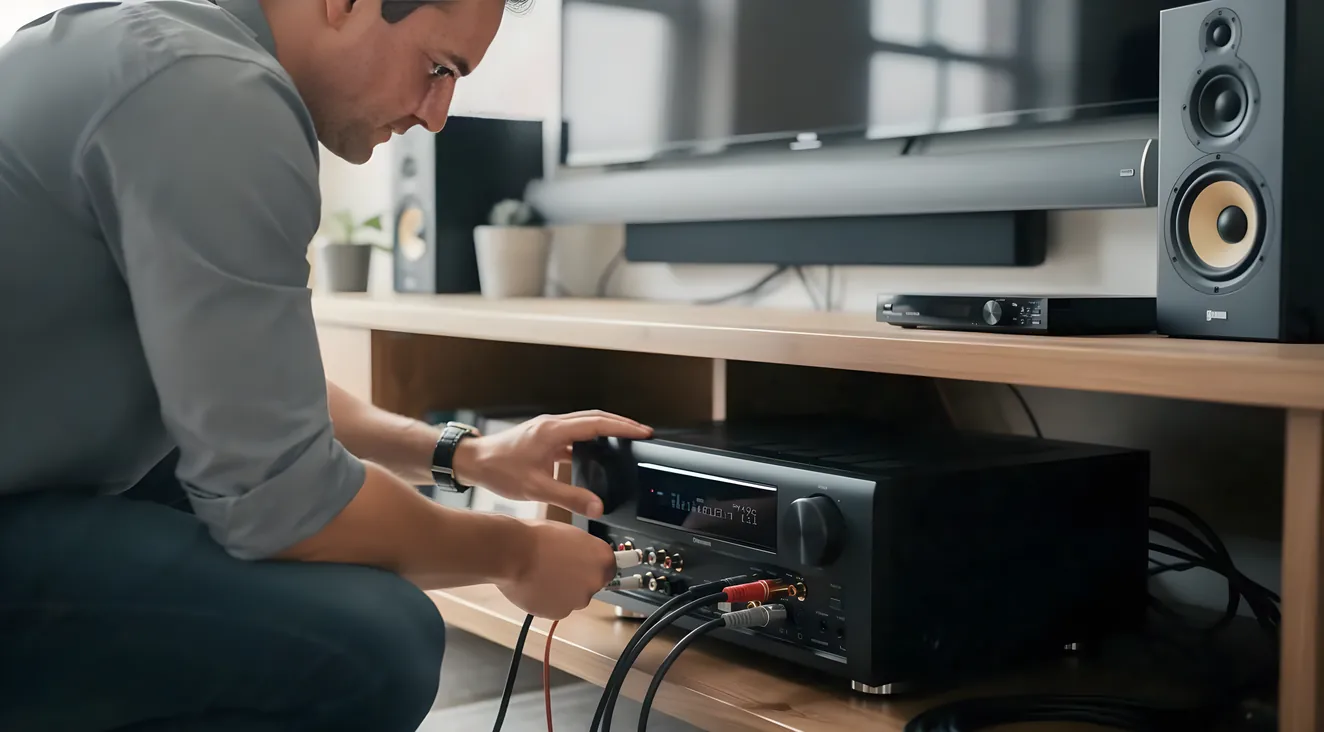
That’s the trap this post exists to get you out of. An AV receiver is the hub of your home theater system: it decodes surround formats, amplifies every speaker channel, and switches video between your sources and your display. Choosing the right one comes down to five decisions: how many channels your room’s speaker layout actually needs, how to read a power spec instead of trusting it, whether Dolby Atmos or DTS:X support matters (spoiler: barely), which HDMI 2.1 and eARC features your own TV and sources require, and which room correction system fits how much setup patience you have. I’m not going to end this by naming one receiver as the winner. No single model is right for every room, no matter how confidently a buying guide might claim otherwise. This one teaches you to read the spec sheet instead.
What an AV Receiver Actually Does
A receiver has three jobs. It decodes the surround sound format coming off your streaming app, disc, or console. It amplifies the signal for every speaker in your setup, from the front left channel to a ceiling speaker overhead. And it switches video, taking in HDMI from your Blu-ray player, game console, and streaming box, and sending the right one to your TV or projector.
That’s different from a plain stereo receiver, which only handles two audio channels and doesn’t touch video at all. If you’re shopping and see “stereo receiver” on the box, you’re in the wrong aisle for a surround setup. Everything from here forward assumes you’re looking at a genuine AV receiver.
Channel Count: Match the Receiver to the Room You’re Building, Not the Biggest Number on the Shelf
Receiver channel counts follow a pattern once you know it. The first number is full-range horizontal speakers: front left, center, front right, and surrounds. The second number is subwoofer outputs. A third number, when you see one, is height or overhead channels for Dolby Atmos or DTS:X, like a 7.1.4 setup.
- 5.1: five full-range speakers plus one subwoofer
- 7.1: adds two surround-back speakers behind the main seat
- 7.1.4: adds four overhead height channels on top of that
Here’s the part almost nobody explains clearly: a receiver’s advertised channel count can mix two different things. There’s how many channels the processor can decode, and there’s how many it can actually amplify with its own built-in amps. A receiver might process an 11.4 signal but only amplify 9 of those channels itself, leaving the rest to be powered by an external amp through the pre-outs. If you assume “11 channels” means 11 channels of built-in amplification, you can end up short a couple when you actually wire the room. Check both numbers, not just the one printed largest on the box.
The buying rule is simple: decide the speaker layout your room can physically support first, then buy the receiver that covers it plus maybe one tier of headroom. A 9.1.4-capable receiver is wasted money if your room only ever runs a 5.1 layout, and figuring out which speakers and layout actually fit your space is its own decision, one I cover in choosing speakers for your setup rather than here.
Two Channel Counts, Not One
Processing channels
How many channels the receiver can decode from a surround format.
Amplifier channels
How many channels its built-in amps can actually power, on their own.
Watts Per Channel: The One Number That Lies to You
This is the section that started this whole post, the spec most likely to mislead you.
Manufacturers are legally allowed to print more than one wattage number for the same amplifier, and the two numbers can look nothing alike. There’s a federal rule governing this, the FTC Amplifier Rule (16 CFR Part 432, most recently amended June 12, 2024, effective that August). It requires that a proper power claim state continuous watts per channel, with every channel driven at once, at a stated ohm load, over a stated frequency range, at a stated distortion percentage. That’s the number you want.
What you’ll often see instead is a bigger number measured with only one channel driven, at 6 ohms instead of 8, and at 10% total harmonic distortion, meaning 10% signal clipping, which is audible and not clean output at all. Audioholics documented a real case of this: a receiver marketed at 170 watts per channel under those looser one-channel, 6-ohm, 10%-THD conditions measured 80 watts per channel under the FTC-compliant test, two channels driven, 8 ohms, far lower distortion. Same unit. More than double the difference, purely from how it was measured, not from a better amplifier inside.
Marketing spec: 170 watts per channel. FTC-compliant spec: 80 watts per channel. Same receiver.
The rule for comparing two receivers: find the number that states ohms, THD percentage, bandwidth, and “all channels driven” for both units, and only compare those to each other. Never stack a one-channel, 6-ohm, 10%-THD figure from one receiver against a properly tested number from another. As rough context, not a spec to shop by, entry-level 5.1 receivers commonly run around 80 watts per channel, mid-range 7.1 models roughly 100 to 155, and higher-end 9 to 11 channel Atmos models roughly 125 to 140, though those figures carry the same measurement caveat above.
What a Legit Power Spec Has to Say
Before you trust a watts-per-channel number, check that it actually states all four of these. If any one is missing, you're looking at the flattering number, not the honest one.
Dolby Atmos and DTS:X: You Don’t Have to Choose Between Them
Both formats are object-based, which means individual sounds carry their own 3D positional data instead of being locked to one fixed channel. That’s what lets a helicopter pass overhead instead of just left to right.
The difference between them is more about design philosophy than sound quality you’ll notice. Dolby Atmos is built around defined speaker layouts like 5.1.2 or 7.1.4 and supports up to 128 simultaneous audio objects. DTS:X isn’t built around Atmos’s fixed speaker-layout hierarchy, so it doesn’t cap out at a specific object count the same way, though how much that actually matters to your ears is genuinely debated among enthusiasts. Atmos wins on streaming reach: Netflix, Prime Video, Disney+, and Apple TV+ all support it. DTS:X wins on legacy disc support, showing up more often on Blu-ray.
The actual buying takeaway: nearly every current mid-range-and-up receiver decodes both formats, so a shopper rarely has to choose between them. What actually matters is whether your receiver and your speaker layout support height channels at all, since neither format can invent overhead sound from a flat 5.1 or 7.1 setup without upward-firing or in-ceiling speakers physically present.
HDMI 2.1 and eARC: Why the Label Alone Isn’t Enough
HDMI 2.1 supports up to 48 gigabits per second of bandwidth per the HDMI Forum’s own 2.1 announcement materials, which is what enables 4K at 120Hz, 8K at 60Hz, and Dynamic HDR, along with eARC, variable refresh rate, and auto low latency mode.
Here’s the catch. A device can be legally certified “HDMI 2.1” while supporting only some of those features. Compliance testing no longer certifies a separate “HDMI 2.0” tier, so the badge alone tells you less than it sounds like it should. This isn’t theoretical: a chipset defect that shipped across a range of HDMI 2.1 receivers around 2020 caused 4K/120 and 8K/60 passthrough failures, black screens, with Nvidia GPUs and the Xbox Series X. Units built after May 2021 got corrected chipsets; earlier ones needed a free external adapter to fix it.
eARC specifically is what lets a smart TV send full, uncompressed audio, including Atmos or DTS:X streams from apps running directly on the TV, back down one HDMI cable to your receiver, instead of routing every app through the receiver first. If your TV’s built-in Netflix or Disney+ app is your main source, eARC support on both the TV and receiver is what makes that sound right.
The buying rule: check the specific feature list against your own gear, 4K/120 passthrough, full bandwidth, eARC, rather than trusting the “HDMI 2.1” sticker by itself.
Room Correction: Audyssey, Dirac Live, YPAO, and MCACC
Every automated room correction system works roughly the same way. A calibration microphone measures test tones from each speaker at your listening position, and the software builds an EQ and delay correction filter per channel to compensate for your room’s acoustics, reflections, standing waves, uneven bass.
Where they differ is effort and precision:
| System | Common brands | Where it stands out | Watch for |
|---|---|---|---|
| Audyssey MultEQ (XT32) | Denon, Marantz | Fine subwoofer-channel resolution | Finicky about exact microphone placement |
| Dirac Live | Available on several brands | Corrects both frequency and phase/time response, not just frequency | More involved setup |
| YPAO | Yamaha | Easiest to run, preserves a speaker’s natural tone | Weaker specifically at bass management |
| MCACC | Pioneer, Onkyo | Same core method as the others, no distinct edge in independent comparisons | Not separately differentiated in independent comparisons |
None of these is objectively best for every room. Independent comparisons consistently find the gap between having any competent room correction and having none is bigger than the gap between the systems themselves. Run whichever one your receiver includes before you decide you need to upgrade for a fancier name.
The Brand Name Matters Less Than Running One At All
Whatever room correction system shipped with your receiver, run it before you shop for a fancier one. The step up from no correction to any correction is bigger than the step between competing systems.
Pre-Outs and Multi-Zone: Buy for a Plan, Not “Just in Case”
Pre-outs are unamplified, line-level jacks that feed an external power amp or a powered subwoofer instead of the receiver’s own amp driving the speaker directly. The receiver still handles switching, decoding, and volume; the external amp only supplies raw power. These matter most if you’ve got large or hard-to-drive floorstanding speakers, or a big room where the receiver’s own amplification for that channel would be undersized.
Multi-zone is related but different: dedicated Zone 2 or Zone 3 pre-outs send an independently chosen source, at an independently controlled volume, to a second or third room, while the main room keeps running normally.
Pay extra for either only if you have a specific, near-term plan to use it, a defined second room, a known hard-to-drive speaker pair, not as generic future-proofing. It’s a common upsell a lot of buyers never end up touching.
Frequently Asked Questions
How many channels does a home theater receiver need?
It depends on the speaker layout your room supports, not on a universal number. 5.1 covers basic surround, 7.1 adds two surround-back speakers, and anything with a third number, like 7.1.4 or 9.1.4, adds height channels for Atmos or DTS:X. Build the receiver around the layout you’re actually installing, with maybe one tier of headroom.
Is a higher watts-per-channel number always better?
Not by itself. The number on the box can be measured with one channel driven at 6 ohms and 10% distortion, which can be more than double the FTC-compliant, all-channels-driven figure for the exact same unit. Only compare wattage ratings that state matching test conditions on both sides.
What’s the difference between Dolby Atmos and DTS:X?
Both place sound anywhere in the room, including overhead, instead of locking it to a fixed channel. Atmos leans on a defined speaker-layout hierarchy and has broader streaming support; DTS:X doesn’t require a set layout and has stronger legacy presence on Blu-ray. Almost every current mid-range receiver decodes both, so it’s rarely something you actually have to pick between.
Does a receiver labeled “HDMI 2.1” support 4K/120Hz and 8K/60Hz automatically?
No. A device can pass HDMI 2.1 compliance testing while implementing only some of its optional features, so the label by itself doesn’t guarantee full bandwidth or a specific feature. Check the actual feature list, 4K/120 passthrough, full bandwidth, eARC, against your own TV and sources before buying.
Do I need Dirac Live, or is a simpler room correction system good enough?
Independent comparisons consistently find that having any competent room correction matters more than which specific brand you pick. Dirac Live’s real advantage, correcting phase and time response, not just frequency, shows up most in acoustically difficult rooms, but Audyssey, YPAO, and MCACC all meaningfully beat running no correction at all.
What are pre-outs, and does a typical buyer need them?
Pre-outs let you add a separate amplifier for tougher speaker loads, or feed audio to a second room, without replacing the whole receiver. Most buyers never touch them: you only need pre-outs for a hard-to-drive floorstanding speaker pair, or a second room already slated for multi-zone audio. Buying them “just in case” is the upsell to skip.
Putting It Together: A Five-Step Way to Actually Decide
Once you’ve read through all of that, here’s the order I’d actually run it in, either in a store or scrolling a product page.
- Decide the speaker layout your room can realistically support. That determines the channel count you need, and it’s the speaker post’s job to walk you through, not this one’s.
- Check both the amplifier-channel count and the processing-channel count on any receiver you’re considering, not just whichever one is printed bigger.
- Find the FTC-compliant power spec, ohms, THD percentage, bandwidth, all channels driven, for every unit you’re comparing, and ignore any single-channel or high-distortion number sitting next to it.
- Confirm HDMI 2.1 feature support against your actual TV and sources, not just the label, and check specifically for eARC if your TV’s built-in apps matter to you.
- Pick a room correction system based on how much setup effort you’re willing to put in, not on which name sounds fanciest in the manual.
That five-step order, layout first, then channels, then power, then HDMI, then room correction, is the whole framework. No model to chase, no verdict to take my word for, just the numbers that actually separate a good fit for your room from an expensive mistake. Once you’ve picked the receiver, the next thing worth reading is the actual setup and calibration process, since getting the wiring and calibration right matters just as much as the spec sheet did.